

Today we continue our series of introducing new key features of Flame Painter 2.0. We started with the first post this Friday, where we talked about a new design and User Interface. However, the main features of the new version are significantly beyond that. We believe version 2.0 brings more additional easy and intuitive features to let your creativity burst.
One of which is fundamental for any artist:
Brushes
Flame Painter 2.0 brings back all the original features of Flame brushes but makes your settings and choices easier to do – with various types, colors and gradients which are all customizable. We redesigned a rendering core and created new Supersmooth Antialiasing which makes all strokes a lot smoother and gets rid of moire (we will talk about it more in another post). You can also directly type a parameter value into the textbox which makes it a lot faster. There are unlimited variations and this is what we love about Flame Painter 2.0.
Many of you have created extraordinary brushes, so we have made it simple for all users to save them in a public Brushes Library, so everyone can share and use these brushes more easily.
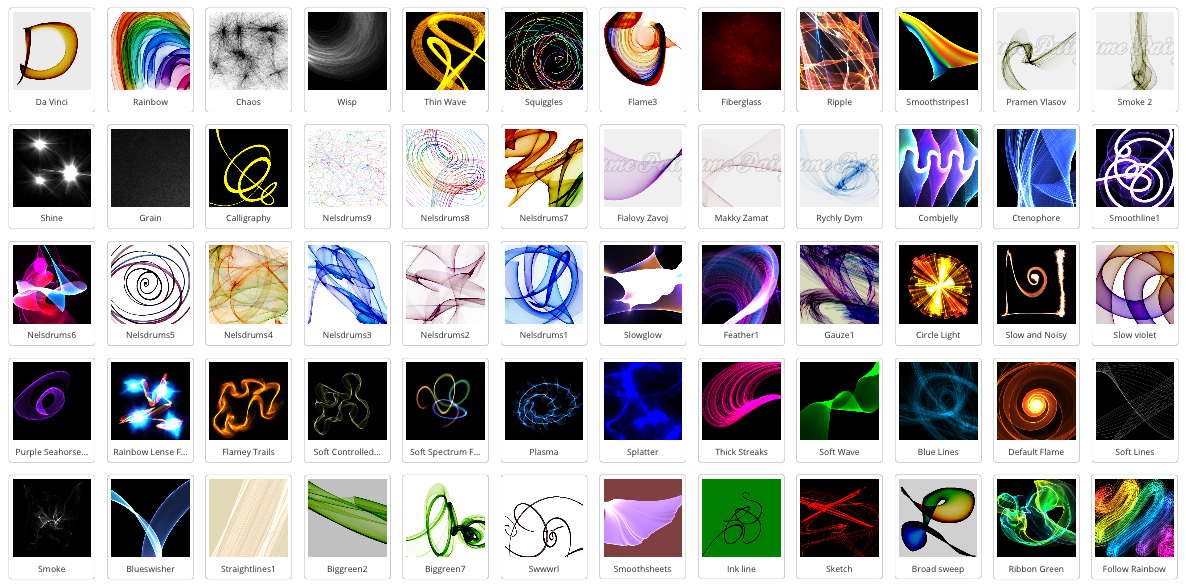
Free online Brushes Library.
What we have tried to create, are brushes that are easy to use. We want you to focus on creativity and that’s why in the new version you are always just one click away from painting with a new brush.
In the 1.x version, you had to download the Brush from the website, copy it into the Brushes directory and restart the program. However, in version 2 we did a revolutionary innovation which is unseen in any other program - all you need to do is choose the brush you like on the Brushes Library website and simply Drag & Drop Brush to Flame Painter application!
We then went further and innovated the whole painting process - this way you can also Drag & Drop any picture from your folders, desktop and even from the web browser! Cool huh? Just find a picture you like on Google, move it into Flame Painter and paint over it. Simple, easy and intuitive.
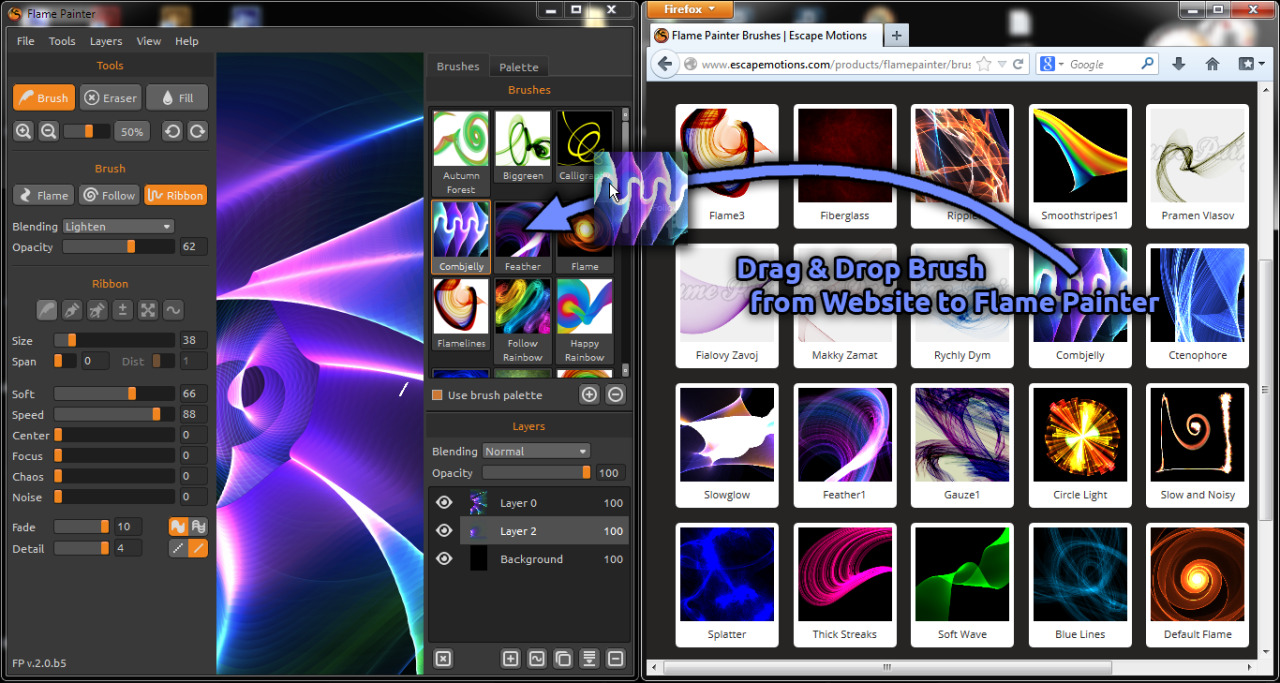
Simply Drag & Drop brushes from the online Brushes Library.
We know that when inspiration strikes you suddenly, every second is precious, so we are trying to make Flame Painter 2.0 as easy and comfortable as possible. Let us know if you like these new features!
In the next post, we will take a closer look at new painting modes and gradients using natural colors.
Stay tuned, and do not forget from May 21st everyone can be an artist!
Peter & The Flame Painter Team

What do you think?
0 Responses
0
Upvote
0
Funny
0
Love
0
Surprised
0
Angry
0
Sad
Sign in to comment!
Many thanks for your feedback, it worked !!! yeah !!!! ;-)
drag and drop does not work for me ! it is impossible cause, when you click on the image brush and try to dragg it to flame painter, the flame painter window disappear ! I also notice that the new brushes worked perfectly on version 1.7 for windows, but impossible to save for painter 2 Pro. How come ?... please help !
Drag >point to task bar > flame painter > pop up window then drop
would definately be interested in upgrading to The new version if it could be intergrated into photoshop as a plugin
We are preparing a tight connection with Photoshop and other image editors.
Painter 12 maybe? Hope so.