

Right before this summer kicks off here is a new Rebelle 2.0.2 update to use on your creative holiday. Do you love to paint even when on vacay? If so, make sure you download the latest version with multiple fixes and improvements.
- PSD created with other than RGB color mode is automatically converted to RGB when opened in Rebelle
- No need to restart the application after changing tablet options in Preferences
- Windows “Flicks” & “Press and hold for right-clicking” are turned off
- Added option “Don’t Show Again” in New Artwork dialog
- Undo action is not created every time the canvas is cleared or dried
- “New Artwork” window is now displayed on the monitor with the main window
- Fixed position of the main window after application restart
- Fixed incorrect position of the stencil menu
- Fixed handling of keyboard shortcuts
- many other minor fixes
If you haven’t downloaded version 2.0.2 yet, go ahead - update is available on our Download page and is free for all Rebelle 2 users.
Users can upgrade to Rebelle 2 directly from the application’s menu: “Help” –> “Upgrade to Rebelle 2” or via our Upgrade page. Existing owners of Rebelle 1 are eligible for more than 50% discount - the regular upgrade price is $39.99.
Let us know how you like the new update in the comments or send your feedback directly from the application’s Help menu. We wish you happy summer and hope you’ll have fun just like these guys below… :)
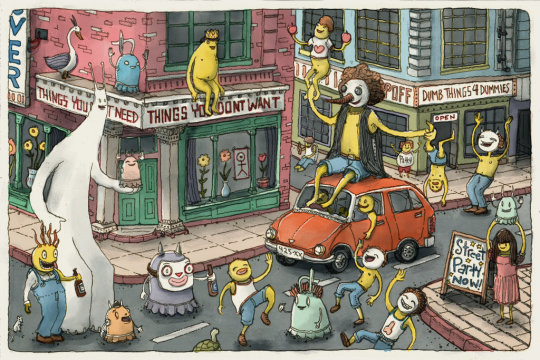
… and happy painting!
Your Escape Motions Team
----
Image Courtesy: Will von Dehl | http://www.vondehl.com, Dancing on the Street by Junkyard Sam | http://www.junkyardsam.com/

What do you think?
0 Responses
0
Upvote
0
Funny
0
Love
0
Surprised
0
Angry
0
Sad
Sign in to comment!
After messing with the demo, I have a couple of suggestions:
- Have the on-screen brush match the outline of the brush selected rather than just a circle
- Being able to use tilt on brushes for different brush effects
Hi Josh, thank you for sending over your suggestions! We plan to implement both features in the future.
Let me know if you have more ideas, I'd love to hear them.
Hi,
I'm using 2.0.3, and noticed that even though the eyedropper is set up to pick up canvas color, it doesn't--it just retains the existing color. I'm fairly certain it worked as expected in 2.0.2. Is this the forum to report a bug or is there somewhere else?
Thanks,
TC
Just in case anyone else has the same issue, I just figured out what I was doing differently...I had the GPU engine on instead of the CPU engine. It also prevents blending in real-time (you can't see what the blending looks like until you lift your stylus off the tablet).
Hi Jean-Luc,
thank you for reporting this, I'll pass this information to our programmers. Just to be sure, all works well in CPU version with eyedropper and blending, correct?
Hi. I'm using rebelle2 for my artwork. then I have one question.
If I select some area with select tool it has change to red color that unselected area. It's not good to painting and my eyes get tired. How can I solve this problem?
Hi Wanz, you probably activated "Show | Hide Selection" button - it is located at the bottom of the Layers panel, right next the "Canvas". When the button is active (highlighted in blue) the unselected area turns red every time you make a selection. Let me know if this helps!
Thanks for the update. I have a request/suggestion please. As a right handed person it would be so much more convenient if the undo/redo buttons were on the RHS of the screen. I know i can detach the brush tab and move it over, but wondering about the possibility of a separate undo/redo tab that can be moved.
thanks!
Kate
Hi Kate, thanks for your feedback. At the moment it is not possible to move only Undo/Redo buttons from the Tools panel, but we'd like to implement something similar in the future Rebelle versions.