
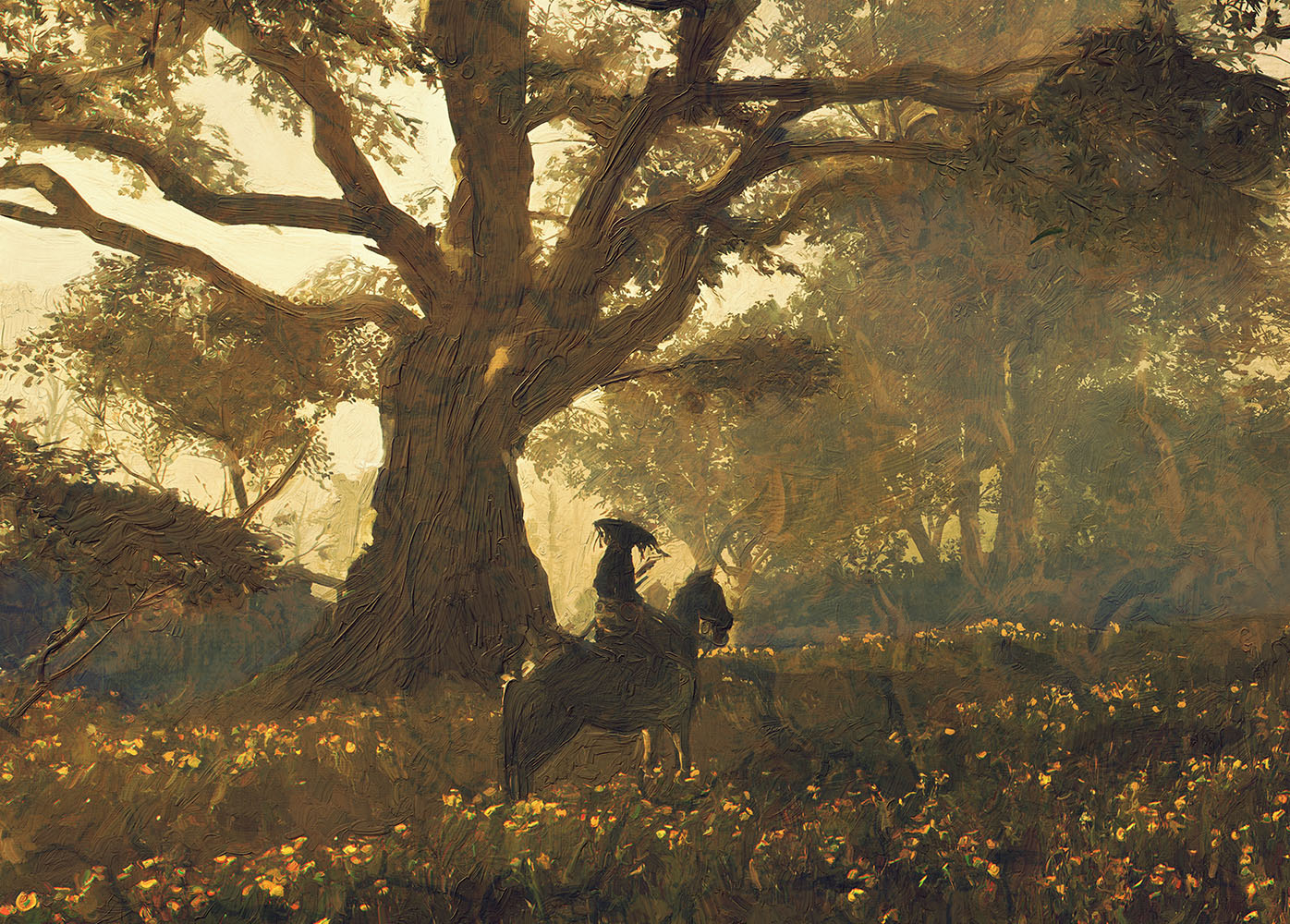

After a long time of research and careful development, Rebelle 8 is getting close, and it’s packed with some of our most exciting features to date. From powerful new brushes to improved painting experience, with more than 40+ new features, this release continues our mission to blend cutting-edge technology with the beauty of traditional art. In this blog, we’ll take a closer look at what’s coming:
- Bristle brushes that bring stunning realism to every stroke
- Enhanced Brush Creator features new settings for bristle brushes for more expressive customization
- Larger brushes with a maximum size of 3,000 pixels
- Recent brushes panel to streamline your workflow
And yes, Early Access is coming soon, so artists like you can try it all before the official launch. Let’s dive in!
Bristle Brushes
In developing Rebelle 8, one of our primary goals was to get even closer to the behavior of real-world brushes. During this process, we discovered significant limitations in our previous system, particularly the inability to replicate fine brush features, which restricted the realism and variability we could offer.
So we set out to create an entirely new brush engine from scratch - one designed to more accurately capture the behavior of real-world brushes. With this new engine, we've overcome many of the limitations we faced before. And now, in Rebelle 8 Pro, we're excited to introduce a brand-new category of brushes: Bristle Brushes.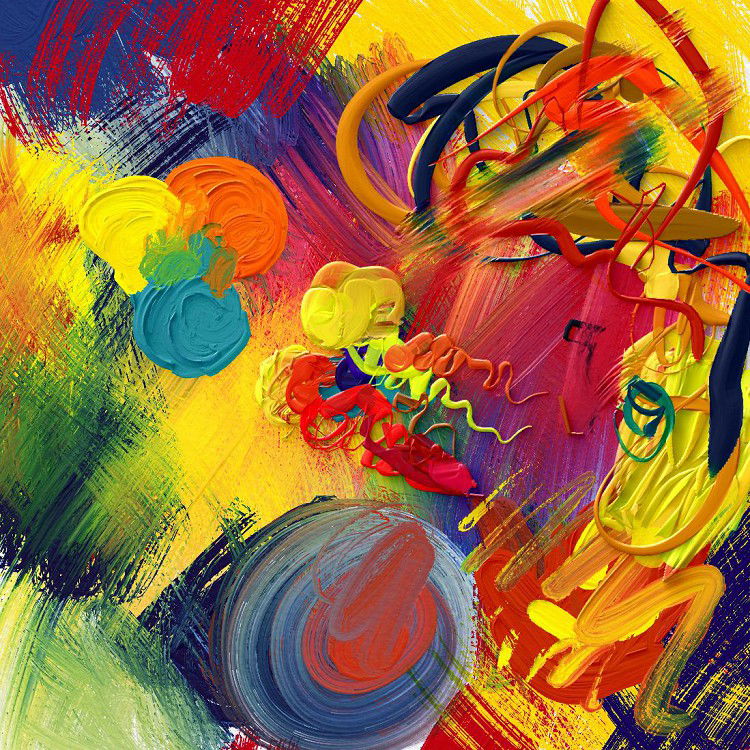 Example of bristle brushes in Rebelle 8 Pro
These brushes are powered by our new particle brush system, which lets us simulate the movement and behavior of each individual strand. This means every stroke can respond uniquely to color, smudging, pressure, and more, unlocking a whole new level of creative expression.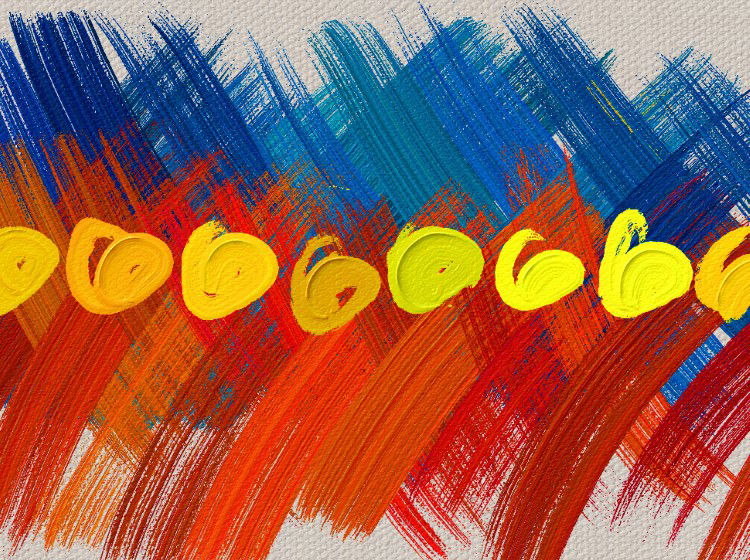 Example of color jitter per stroke and per bristle
Unlike texture brushes, where we use shape and grain textures to create an imitation of brush strands, it is a system that draws individual brush strands directly. This allows for great flexibility; each hair can be done differently, or they can even influence each other.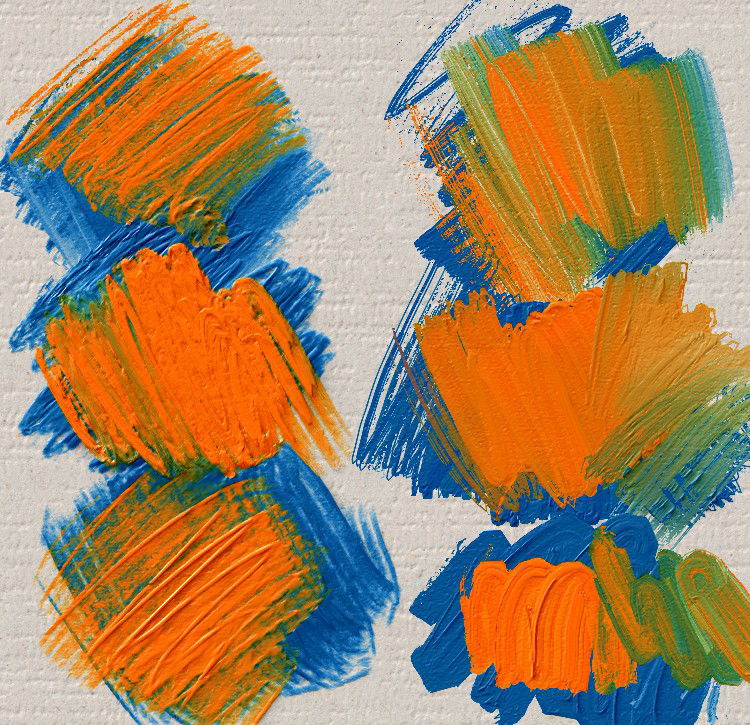 Left: Texture brushes | Right: Bristle brushes
Impasto painting, in particular, has greatly improved: older brushes simply added or subtracted impasto based on texture patterns, often resulting in flat, mechanical strokes. The new brushes, however, offer greater depth, complexity, and natural variation in how paint is applied and removed. This leads to richer, more dynamic strokes that better reflect how real brushes interact with a canvas.
The result is a major leap forward in simulating the physical qualities of traditional painting tools, allowing artists to enjoy more expressive and realistic brushwork in their digital creations. Thanks to this new system, we were also able to significantly boost brush performance in Rebelle 8. Brushes now respond faster and feel smoother, even when working with large sizes or complex strokes. This improvement ensures a more natural and seamless painting experience, allowing artists to stay fully immersed in their creative flow without interruptions.
You will find the new settings for Bristle brushes in the Brush Creator panel of Rebelle 8 Pro:
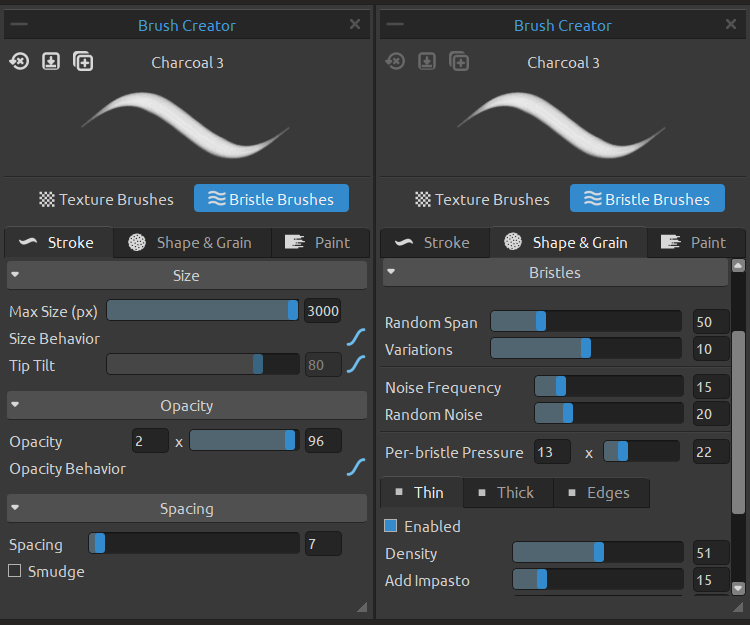
In the Brush Creator, you’ll have full control over your brush settings — from strand density and thickness to behavior and impasto effects. You can also adjust size, opacity, pen pressure response, and many other parameters to fine-tune your brush exactly the way you like.
"I spent the whole day today experimenting with the new bristle brushes. The results, also in combination with the new RealShader settings, are simply breathtaking." Georg Ireland, Rebelle Featured Artist
4.28x Larger Brushes
Until Rebelle 7, the maximum brush size was capped at 700 pixels due to technical constraints in our brush engine — enough for detailed work, but sometimes limiting when working on larger canvases or broad strokes.
Thanks to the new brush engine, you can now push brush sizes up to 3,000 pixels, which is 4.28× larger than before. Whether you want to block in backgrounds quickly, create sweeping gestures, or add expressive textures with bold strokes, the new larger brushes give you the freedom to work on a grander scale and with stunning realism.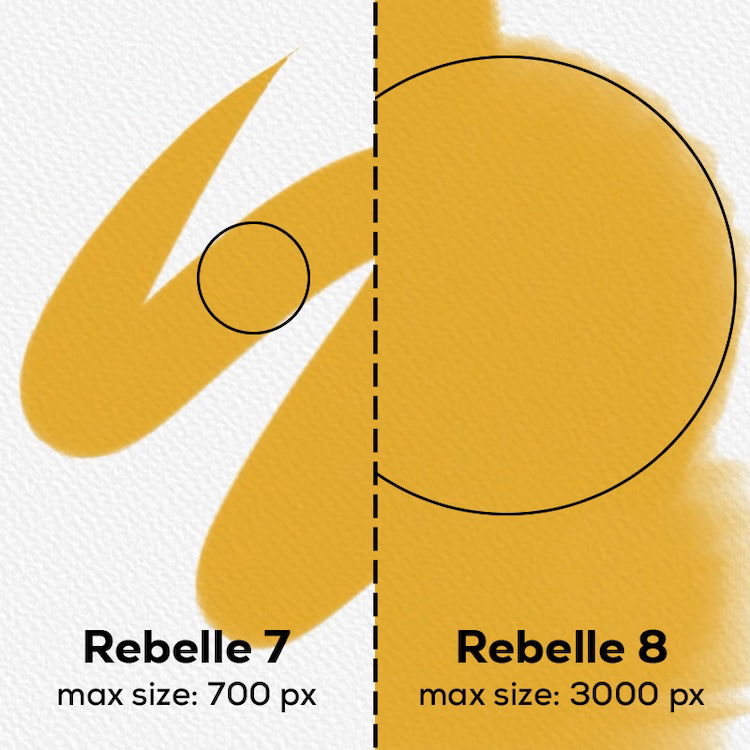
Recent Brushes
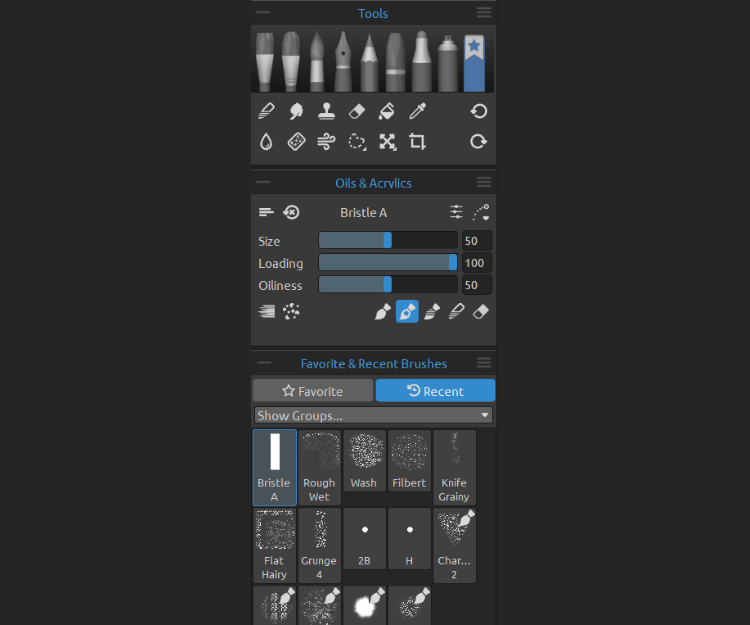
In Rebelle 8, the software now automatically keeps track of the brushes you’ve recently used within your current painting project. These brushes are conveniently collected and displayed in a new 'Recent' tab under the Favorites brushes tool, making it easy to switch back to tools you’ve been using frequently without manually reselecting them.
Early Access Starting Soon
The full version of Rebelle 8 is set to launch at the end of Q3 2025. But if you're eager to dive in early, you can get Rebelle 8 in the Early Access, starting late June or July.
If you purchase Rebelle 7 on or after May 28, 2025, you’ll be eligible for a free upgrade to the equivalent edition of Rebelle 8. Keep an eye on our upcoming blog posts to discover more exciting features coming to Rebelle 8. Don’t forget to follow us on Instagram for the latest updates and exclusive sneak peeks!
Thank you for your continuous support!
Escape Motions Team
----
Cover image and artworks in the blog made in Rebelle 8 Pro by Philipp Neundorf | Visit Portfolio

What do you think?
0 Responses
0
Upvote
0
Funny
0
Love
0
Surprised
0
Angry
0
Sad
Sign in to comment!
I can't wait to try the new brush engine.
I'm very interested in seeing more what the bristle brush engine is capable of. Seems to be a big emphasis on thick impasto effects in these blog posts so far. I'm personally striving for more of a flat gouache/acrylics/watercolor look and I'd love to see more about how the new engine affects mark making and brush calligraphy which, in my opinion, has been the biggest weakness in traditional stamp based brush engines. Do the bristles clump and splay apart?
I saw this idea in the suggested features forum and wanted to put it forward again; would you guys be able to implement a shape tool feature in the next iteration? I know there are stencils but they are very demanding on hardware and not intuitive. A shape tool would allow for more design work or even just graphical experimentation. Haven't seen it outside of ps yet. Can't wait for Rebelle 8, keep up the great work guys o//
In Rebelle there are Paths - is it same sa a Shape tool?
I'm referring specifically to the custom shape tool which allows you to quickly lay down and manipulate custom shapes you've created. It's basically It's own version of a brush, and works much faster than a stencil or regular path.I'm not as adept at explaining how it works but would recommend looking into it for an update or future iteration!
I love this! ????
please consider adding gradients maps! many been asking about this funcition
Wow, all of these changes seem very exciting! I can already tell that these new brushes will work great for me. I have a question, though. Is hue jitter coming to all of the Rebelle 8 brushes, or just the "bristle" group? It's one of the features I've always wanted to have in Rebelle :)
That's something I really miss from Photoshop or Krita.
Hue jitter is for bristle brushes at the moment.
What would be nice is a comparison in performance with the bristle simulation engine.
This is nothing new, Corel Painter was doing bristle simulation years a go and Photoshop as well. But in the end the performance on these were kind of defeating the whole purpose of drawing. So I would love to see some FPS charts to know what we can expect. Sure now a days GPUs and CPUs are much more powerful but still I'm crossing my fingers the bristle simulation is almost as fast as the current engine.
Bristle brushes in Rebelle seem to perform faster than textured, although we haven't done a exact comparison yet. As far as I know, bristle or particle brushes aren't widely used in other software, perhaps because they don't look or behave as users expect? I'd be really interested in seeing a proper comparison too :)
Maybe I'm wrong but I think Photoshop's mixer brushes had some kind of bristle simulation .I remember that 3d popup showing the brush tilt and bristle pressure. And corel painter had some kind of particle based bristle brushes...But in both cases they were slower for me than texture brushes. So it didn't add up to use them for work, unless one had a really nice computer.
That being said...that was like 10 years a go..and running simulations on the GPU wasn't something that common as today. So I'm looking forward to see what you guys achieved.
All of this sounds really exciting!!!
Wow, this looks like exactly what I've been waiting for!
Can we get a per-layer impasto depth setting too?
And the ability to create black masks on mask creation? Having to paint bucket in a mask is a PITA.
Per-Layer Impasto depth will be there too. You can use Invert filter (Ctrl+I) on mask.
How do we sign up for early access? Because I, for one, can't wait!
We will write blog post and send newsletter when it will be ready.
Are you guys looking into the bug where keyboard input pauses for a while? This happens fairly frequently on Rebelle 7 on Mac Studio (latest OS version) and Cintiq pro 24 with touch enabled—this gets really frustrating because it completely breaks me out of the zone—of the small number of cons of Rebelle, this would be the number one.
Please look into this!
Could you send us an email when this happens, or which shortcut is it? Eventually with a link to screencast video. Thank you!
Hi, it happened again just now.
I'm not sure what triggered, it, but here is the symptom.
1. I noticed that the 5 key, which should have switched my brush to the erase mode, but it didn't.
2. I tried other keys, such as 2, 3, 4, and M, all of them were unresponsive.
3. Then I tried these key (Command-S) and open key (Command-O), both worked.
4. I also tried Command-+ and -= for zooming, both worked again.
5. The dot key, which sets the zoom level to git also worked.
6. The Tab key, however didn't hide the interface. What I noticed was, when I hit the tab key repeatedly, it seems to highlight the brush size and the opacity input fields on the Pencils panel . At the point, if when I hit the tab again, the focus went elsewhere not sure where, I couldn't see the focus), but then they returned to the two fields again when I kept hitting the tab key.
And then, at one point, the keys started responding again. Not sure what I did. Sorry. I'll report back if I find anything else.
I hope this help.
And here are my setup:
Mac Studio (M1)
32GB RAM
Cintiq Pro 27
Rebelle 7.2.7
Hi Wohil, Could you please send us an email at [email protected] so we can look into what happened? That would be the most helpful for us. Thank you!
yeyyyyyy! Excited for this one. Does it come with color noise variation too?
Another thing I'd like to see would be variation of beginning vs middle or end stroke. For example some brushes could have a thick start of stroke and finish thinner, but this is not possible with pen pressure alone.
Yes, bristle brushes will have color noise per bristle and per stroke.
Found this program through a friend's recommendation recently, absolutely adoring the trial and literally the only features I felt it was lacking in was color jitter and brush size. With the fact this is a free upgrade for new buyers, buying Rebelle 7 right now and patiently waiting for this new version while I get used to the program overall.
The program itself is a work of art, thank you for giving digital artists the tools to take our traditional inspired work to the next level.
Thank you!
This is very exciting. A QQ: will the shape of the bristles (particles) be customizable? Either as texture, or vector shape, or what ever makes sense.
Yes, you can set the shape of the bristles.
Perfect. I remember that being really useful, adding more personality to brush strokes.
Can't wait for v8!
Worth it for the max brush size upgrade alone.
Yes, I'd like to give the new features a look-see, especially for watercolor-- but no drips here! ;)
How much will the upgrade be from V7? Had V7 since last year.