
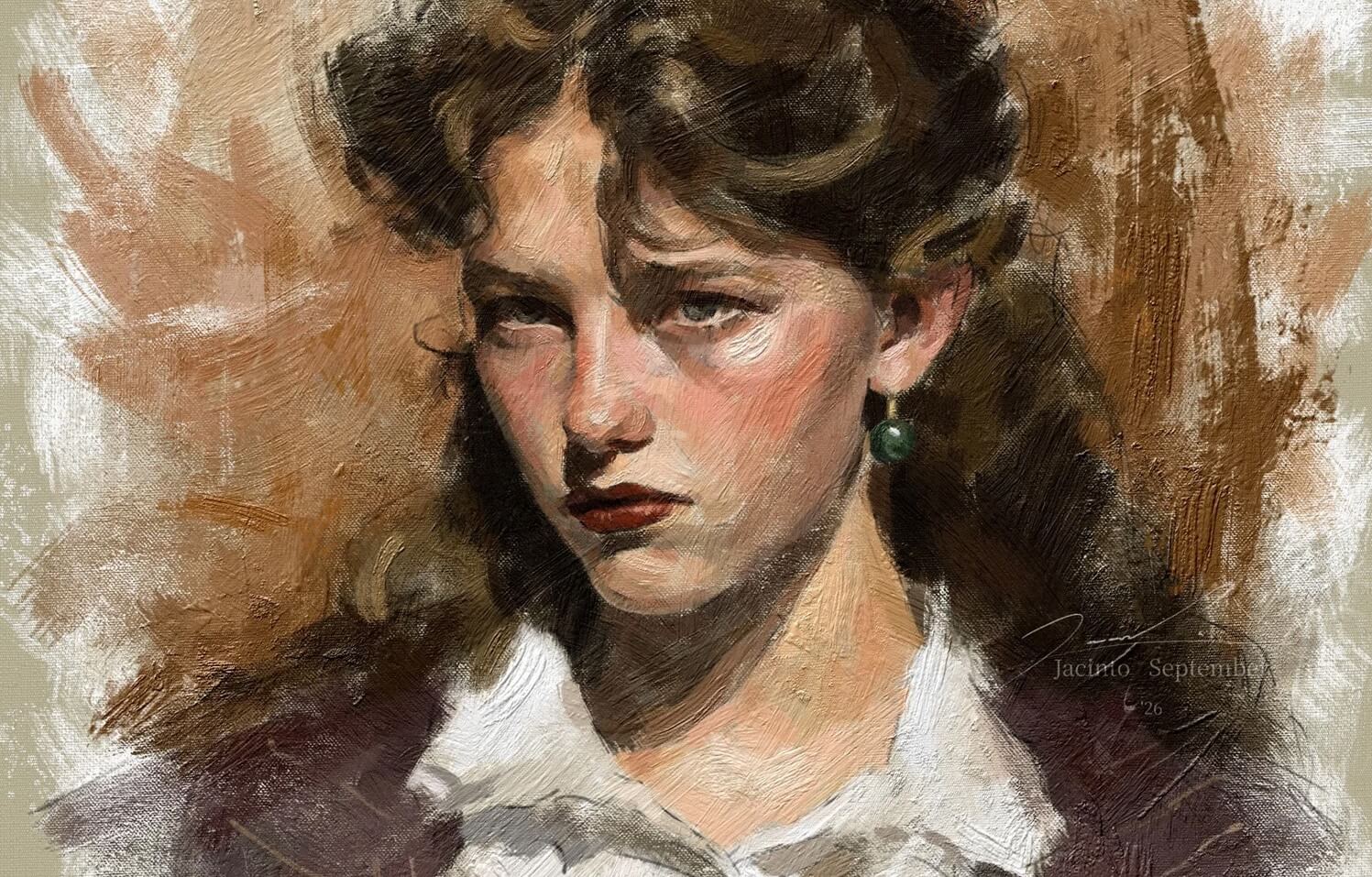

Rebelle 8.3 is here, bringing another wave of features and improvements. From the new brush color jitter options and interactive Selection tool with Quick Fill, to smarter asset organization and impasto heightmap export, this update introduces a mix of creative features and workflow refinements aimed at helping you focus on what you love: creating.
Color Jitter for Texture Brushes
Rebelle 8.3 gives texture brushes a little more unpredictability - new color jitter options in Brush Creator > Texture Brushes > Paint > Rendering let you randomize color variation per bristle, per stamp, or per stroke, adding subtle shifts that make digital marks feel far more alive. Instead of perfectly uniform strokes, your texture brushes can now introduce tiny fluctuations in hue, saturation, or brightness as you paint. New color jitter for Texture brushes: per bristle (top), per stamp (middle), and per stroke (bottom)
'Color Noise per Bristle' and 'Color Noise per Stamp' are available for Oil & Acrylic brushes only; 'Color Noise per Stroke' is available for all painting tools.
Rough Feather
Selections in Rebelle 8.3 can now feel far less rigid thanks to the new feather option. Instead of producing perfectly smooth feathered edges, 'Rough Feather' introduces subtle irregularity and texture into the selection edges, creating rougher selections that feel more painterly. Feather set to 50. Example of Rough Feather at 0 (left) vs. Rough Feather at 20 (middle) vs. Rough Feather at 100 (right) on both impasto and canvas
The result is especially useful for traditional media styles like watercolors, where clean digital selection edges can sometimes look too artificial. Whether you’re blending watercolor washes, creating rough masks, or building textured atmospheric effects, 'Rough Feather' helps edges dissolve more naturally into the canvas surface or oil impasto. Instead of a perfectly smooth blur, the selection edge becomes more uneven and textured, creating a more natural-looking transition between the filled area and the surface.
Improved Selection Tool with Quick Fill
The Selection tool in Rebelle 8.3 receives a major workflow upgrade with the new 'Quick Fill' feature. Once you create a selection, you can instantly fill it with the currently selected color directly from the Selection tool, without switching to the Fill tool. You can also adjust the fill opacity and experiment with different colors while keeping the selection active. Fill selections quickly, adjust Opacity, as well as expand, contract, and apply roughness to the edges - all interactively.
Selection editing is now more interactive as well. After making a selection, you can fine-tune it using interactive Expand/Contract controls, Feather for softer transitions, and Rough Feather for more organic edges.
The selection outline (marching ants) now displays around all selected pixels with an opacity greater than 0%. Previously, it was only shown around pixels with 50% or higher opacity, which could make partially transparent selections appear incomplete. This change provides a more accurate representation of the active selection.
Smoother Gradients
Gradients in Rebelle 8.3 now look smoother and more natural thanks to improved subtle noise integration built directly into the 'Gradient Fill' tool. A layer of controlled noise is automatically applied to gradients to reduce unwanted visual artifacts such as banding and moiré patterns, resulting in cleaner color transitions.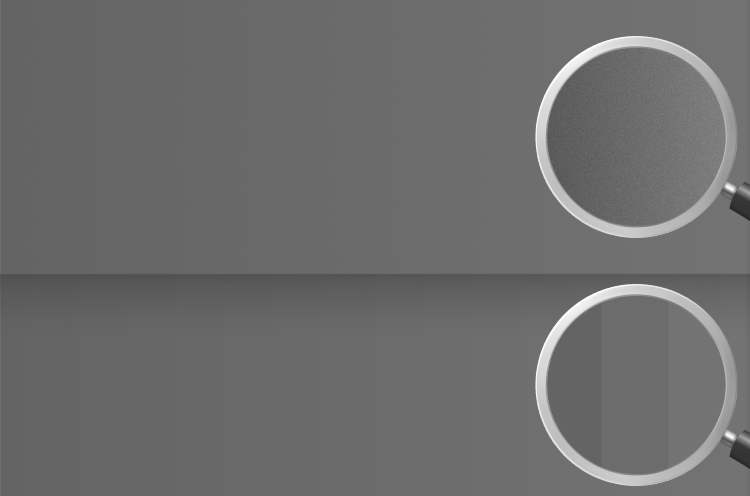 Example of the same gray gradient transition in Rebelle 8.3 (top) vs. previous version, Rebelle 8.2.5 (bottom)
The best part is that this happens entirely behind the scenes. There are no extra sliders or settings to manage. Rebelle simply generates gradients with better visual quality by default. Whether you’re painting skies, soft lighting, or subtle background transitions, gradients now feel more continuous and less digitally "stepped", especially in delicate tonal areas where artifacts are usually most visible.
Lock Corner for Stencils, Structures, and Paths
Working with Stencils, Structures, and Paths in Rebelle 8.3 is now more intuitive thanks to the new 'Lock Corner' function. When transforming these elements, you can scale and rotate them from the corner.
This improvement is especially useful when positioning textures, adjusting stencil proportions, or refining composition details. Instead of resizing behavior or constantly repositioning elements after scaling, transformations can now feel more predictable. It’s one of those subtle workflow upgrades that quietly saves time while making the entire creative process feel more fluid.
Export Impasto Heightmap
Rebelle 8.3 Pro expands the possibilities of impasto painting beyond the canvas with the new 'Heightmap Export' feature. You can now export the physical depth information of your impasto paint strokes directly from the File menu, preserving the surface structure and thickness of your artwork.
The exported heightmap is saved in the 16-bit EXR format, which supports a much wider range of depth values than standard 8-bit images. This opens up exciting workflows not only for painters but also for artists working with 3D tools and advanced compositing. Exported heightmaps can potentially be used as displacement maps, allowing Rebelle’s paint texture to interact with lighting and surface geometry in external applications. Your brush strokes can become actual surface detail, like digital paint escaping the frame.
Scatter Count & Random Flip for Texture Brushes
The brush customization has been expanded further with the new 'Scatter Count' option in Brush Creator > Texture Brushes > Stroke > Spacing. While 'Scatter' controls how brush stamps spread around the stroke path, 'Scatter Count' lets you control how many scattered stamps are generated within the stroke itself. Example of brush strokes with Scatter Count set to 0 (top) vs with Scatter Count set to 100
You can also enable random horizontal or vertical flipping of your texture brush shape during a stroke in Brush Creator > Shape & Grain > Shape. This helps break up repetitive patterns and gives brush presets a more varied, organic appearance. Random Flip X (top) vs. Random Flip Y (bottom)
Multi-Selection and Smarter Drag-and-Drop Control
Organizing your creative assets in Rebelle just became far more flexible. Rebelle 8.3 introduces multi-selection and smarter drag-and-drop controls for brushes, colors, papers, and other assets, making it easier to rearrange and manage large libraries without the usual click marathon. Rebelle introduces a smarter interaction system to also avoid accidental rearranging - simply dragging a preset normally won’t move it by mistake.
You can now easily reorganize your assets by moving colors, brushes, and papers using either a long press or Ctrl-drag. Multi-selection is also supported, allowing you to select multiple items at once with the familiar 'Ctrl' and 'Shift' shortcuts. On touch-enabled devices, long-press gestures provide a simple and intuitive way to manage and arrange your presets. This is a small quality-of-life improvement, but one that makes the entire interface feel more deliberate. Long-press to rearrange brushes, select more brushes by holding Ctrl (Cmd on macOS), or select multiple brushes at once by holding Shift
Export JPEG Background Color
JPEG files do not support transparency, which means transparent areas are automatically filled with black during export. In Rebelle 8.3, you can now choose the background color used when exporting to JPEG. Whether you need a neutral gray backdrop or a custom color that complements your artwork, this small but practical addition gives you more control over how your paintings appear when shared, printed, or published online. The option to choose color is available at each JPEG export, but you can also customize the color globally for all future projects in Rebelle's Preferences > General > JPEG Options.
Customizable Status Icons
Rebelle 8.3 introduces more control over on-screen notifications and status icons, giving artists a cleaner and less distracting workspace. You can now choose to hide notification icons entirely for Files, Layers, Selections, Watercolor, and Undo /Redo. These include, for example, Add or Remove Layer icons, Pause Diffusion, AutoSave, etc., helping the interface stay focused on the artwork instead of UI clutter. The option can be found in Preferences > General > Notifications. Notifications for selections, diffusion, and more are shown in the top left corner of the viewport. Easily deactivate them in Preferences.
Toggle Option for Visual Settings
Rebelle 8.3 adds a small but practical interface improvement to the Visual Settings: a quick "Multi View" toggle button that lets you switch between viewing all tabs when active, or focusing on just a single active tab when turned off.
This makes it easier to keep your workspace clean and organized, especially on smaller screens or during focused painting sessions where every bit of canvas space matters. Instead of navigating through a crowded panel with multiple open sections, you can instantly simplify the interface and concentrate only on the controls you currently need.
Availability
Go ahead and download the latest Rebelle 8.3 update from your Community profile. You can also access the download links to the update from within Rebelle 8, just go to the menu Help > Update to 8.3. This update is free for all Rebelle 8 users.
We hope you'll love these new features! Some open entirely new possibilities; others focus on the small moments that shape everyday painting. Together, these changes continue Rebelle’s goal of blending the freedom of traditional media with the flexibility of modern digital tools, one brush stroke at a time.
Happy Painting!
Escape Motions Team
----
Cover image by Rebelle Featured Artist Jacinto September

What do you think?
0 Responses
0
Upvote
0
Funny
0
Love
0
Surprised
0
Angry
0
Sad
Sign in to comment!
No German Language in Rebelle 8 as it was in Rebelle 7.
Please update!
NanoPixel export does not work with either Tiff or JPG on Mac Tahoe 26.6.1
I've also encountered problems with the "Motions Connect" escape plugin, causing color and layer errors.