
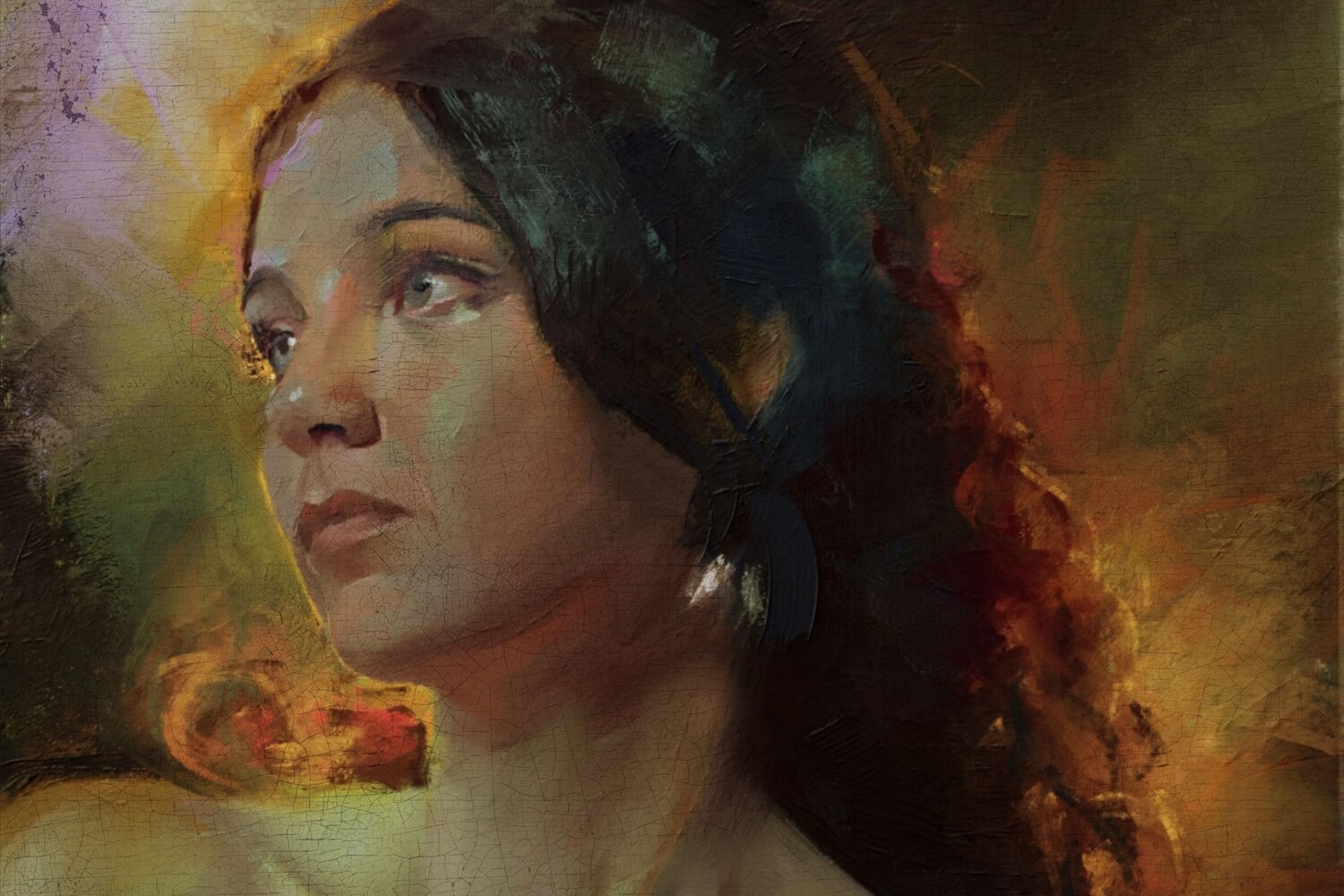

Cracked paint, aged surfaces. Craquelure is one of those tiny imperfections that make artwork feel real. Traditionally, cracks appear on works of art naturally, after decades as paint layers dry, shrink, and react to tension. In Rebelle, you can recreate this beautifully aged appearance using granulation maps. The best part? You stay fully in control of where the cracks appear and how strong they are, without having to wait tens of years. :)


In this tutorial, we’ll create a flexible craquelure workflow that works especially well for oils, acrylics, and textured mixed-media paintings. Instead of using a single flat crack texture, we will gradually build the craquelure in multiple passes to create subtle and realistic variation.
Step 1: Prepare Granulation Map
First, find one or more granulation images that contain crack patterns suitable for a craquelure effect. We recommend using multiple textures with different crack structures to create more natural variation across the painting.
Resize the images to 1,024 × 1,024 px and save them as PNG files. If your texture is inverted, invert the image colors so the cracks stay dark against a lighter background. If necessary, refine the contrast using Levels or similar adjustments to make the crack structures more defined.
Import the images into Rebelle through Visual Settings > Watercolor Behavior and enable Granulation. From the granulation menu, select Custom Image to load your own granulation map.
The original granulation maps we used are available on the link at the end of this blog.
Step 2: Create a New Layer
Import your painting, then create a new layer at the very top of your layer stack. This layer will hold the craquelure texture separately from the original painting, giving you full editing flexibility. Set this new layer to:
- Opacity: 90%
- Blending Mode: Luminosity

The Luminosity blending mode helps the cracks affect the brightness and structure of the paint without heavily shifting the original colors underneath. This makes the cracks feel naturally embedded into the painting surface rather than simply placed on top.
Step 3: Convert the Layer into a Clipping Mask
Set the craquelure layer as a Clipping Mask for the painting layer below it. This ensures the effect stays inside the painted areas and does not spill outside the artwork.
Step 4: Paint the Craquelure
Use your watercolor craquelure brush to start painting the cracks. It should have enough water to rewet the surface. Focus mainly on areas where the paint would naturally feel thinner, dry, or worn. The granulation effect will become visible as the paint begins to dry, allowing the crack texture to emerge naturally within the surface. The original craquelure brush we used is available on the link at the end of this blog.
Avoid covering the entire artwork evenly. Natural craquelure is irregular and unpredictable; subtle variation is what makes the effect believable.
Step 5: Build Multiple Passes
After the paint dries, paint over selected areas again where you want stronger cracking. Some areas can remain almost untouched, while others become heavily cracked. This variation creates a much more realistic aged surface.
Our Tips for More Realistic Craquelure
Combine Multiple Granulation Maps
While painting, switch between different Granulation Maps. Different maps create different crack structures and surface behaviors. Mixing them prevents the effect from looking repetitive or procedural.
Adjust the Image Size
You can combine the effects of scaled Granulation Maps. Since the map is a 1,024 x 1,024 PNG image, with a larger image size, the map is tiled across the whole canvas. Therefore, a good workflow is to start with a larger image size where the cracks will be smaller, then reduce it later for finishing details. This helps preserve texture detail while creating more natural variation.
Erase and Repaint Areas
Use the Eraser tool to remove cracks from areas where they do not feel natural. You can later repaint those areas using another Granulation Map, a different crack scale, or softer or sharper brush settings. This back-and-forth process creates a much more organic result than using a single pass.
Work on Multiple Layers
Instead of building all cracks on one layer, try separating them:
- one layer for subtle cracks
- one for larger fractures
- one for edge damage or distressed spots
This makes editing much easier later. You can selectively erase, blur, soften, or strengthen individual crack groups without affecting the entire surface.
Give Your Painting a Vintage Look
Besides the obvious cracks in the paint, the old paintings often have a yellow surface, ranging from a subtle tone to a very dark appearance. To recreate this effect, we experimented with a new layer on top of the layer's stack filled with greenish yellow. We set the 'Color Burn' blending mode on this layer and the opacity to 20. This subtle adjustment adds warmth and depth to the image, creating the impression of an aged varnish that has naturally darkened over the years.
Craquelure is one of those subtle details that can completely transform the character of a painting. A few carefully placed cracks can add a sense of texture and realism that would otherwise take years of natural aging to achieve. If you create your own craquelure effects in Rebelle, we'd love to see them. Share your results with the community and show us how you bring centuries of character into a brand-new painting.
Keep it creative!
Your Escape Motions Team
----
Download resources: https://www.escapemotions.com/download/craquelure-resources.zip
Original cover image by Rebelle Featured Artist Georg Ireland
Original example images by Douglas Molino, Daniel Ibanez, Carles, Ludovico Clovis, Karen Bonaker
This blog post and video tutorial were inspired by this forum discussion. Special thanks to @Cygenta for raising the craquelure question and to @cheriekitten for suggesting the use of granulation maps.

What do you think?
0 Responses
0
Upvote
0
Funny
0
Love
0
Surprised
0
Angry
0
Sad
Sign in to comment!
suddenly there is a tutorial and someone explaining it as if they came up with it.
but i was the one who answered and explained how to do it here.
https://www.escapemotions.com/community/forum/t/45361/craquelure-a-fine-pattern-of-dense-cracking-formed-on-the-surface-of-materials/
The idea to create a tutorial on craquelure indeed came up from that forum thread. Your response was certainly part of that discussion, and we appreciate that you took the time to point out that granulation maps could be used to achieve a similar result.
At the same time, the tutorial wasn't intended to present the technique as something invented by us or by any single community member. Craquelure itself is a well-known artistic effect, and once granulation maps became available, it was a natural use case to explore and showcase for other users.
While the forum discussion highlighted the possibility of creating the effect with granulation maps, the tutorial goes much further by providing a complete workflow, including custom structures, brush settings, step-by-step instructions, practical tips, and examples to help users recreate and adapt the effect in their own work. Our goal was to turn an interesting idea into a comprehensive learning resource for the wider community.
There was no intention to overlook your contribution or to take credit for your forum response. We simply wanted to expand on the topic and provide a detailed guide that would be useful for users interested in experimenting with craquelure effects in Rebelle.
i dont want credit for craquelure in general, i want credit for the method i came up with to produce it within the program. my method was made on april 29, 2026. your tutorial that used my method came out june 04 2026. before that there is no mention on the forum about this topic or this method. even today there is only that single post regarding craquelure and i was the only person that replied to that thread and stated how to do it. before that granulation was never thought of as a way to produce cracks. i came up with that idea. i want credit for it.