
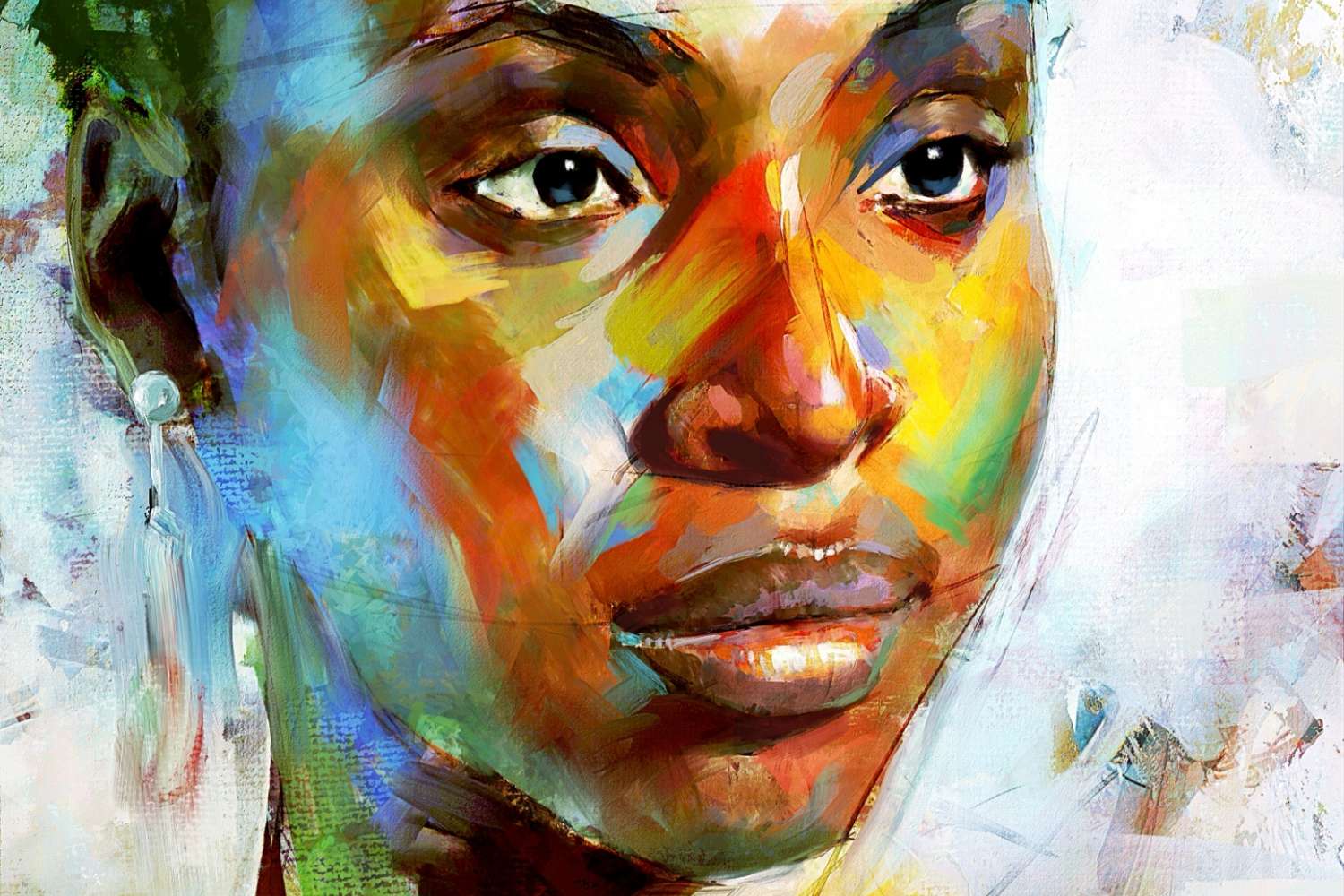

Rebelle 5, the new version of the state-of-the-art, hyperrealistic painting software, has been released today. Featuring breakthrough technologies for traditional pigment color mixing and NanoPixel, this is one of the most advanced releases we have ever made.
We are very thrilled to announce the release of Rebelle 5 today. It has been in development for over a year, some features even for more than two years, and we could not be happier to let you experience it. With its unparalleled combination of remarkable technology, powerful features, and user-interface simplicity, Rebelle 5 goes beyond everything possible in digital painting until this day.
Rebelle 5 comes in two editions - Rebelle 5 full of great new features and Rebelle 5 Pro that in addition offers the experience of traditional Pigments, NanoPixel, Color Management, and Photoshop plug-in.
Rebelle 5 New Key Features
• Pigments - Rebelle 5 is the first software in the world with real physical color mixing based on traditional pigments in a full RGB color gamut. Mix colors as if they are made of traditional color pigments and create more vivid colors that naturally bend away from gray, producing secondary hues. Special thanks goes to Šárka Sochorová and Ondřej Jamřiška for their hard work on pigment color mixing model. Thanks to their solution you will be able to enjoy all these beautiful realistic color shifts. This feature is available in Rebelle 5 Pro.
• NanoPixel - New NanoPixel technology based on machine learning lets you macro zoom into the canvas in real-time to see infinite detail and export astonishing 16x larger artworks with sharp details, or rescale a painting from A4 to A0 and print it with a detail never seen before. This feature is available in Rebelle 5 Pro.
• Watercolor Granulation - Add beautiful life-like granulation effects for your watercolor strokes to make your paintings feel livelier than ever.
• Improved Oils & Acrylics - Rebelle 5 delivers huge advances in painting with Oils and Acrylics, making the painting much more controllable.
• Multicolored & Dirty Brush - Create beautiful multicolored brush strokes, or use the Dirty brush to paint with the last loaded color.
• Express Oils - A new paint tool based on oils aimed for fast sketching, concept design, preparation of underlying painting, or when you need to quickly cover large areas.
• Mixing Palette - Put the colors on a separate mixing palette panel, then mix and blend them together before putting them onto the canvas. If you use color Pigments for painting, the color in the palette will be mixed according to the selected pigments (Cadmium Yellow, Cadmium Red, Prussian Blue, etc.).
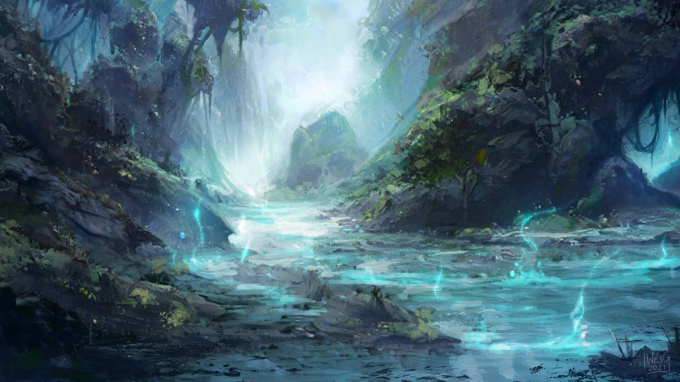 "Coming from traditional art and working professionally as a digital artist, Rebelle bridges the gap perfectly, and rewards nuance in a way other programs can't quite capture. The control over brush styles, pigment loading, and the feel of "pushing paint" is second-to-none, and makes Rebelle something that will always be a part of my professional toolkit." ~ Wesley Gardner, Illustrator, and freelance artist
• Time-lapse Recording - Record your painting process from start to finish and export your videos in the .mp4 file format.
• Full-color Papers - Enjoy three new full-color paper sets - a new type of papers that can be used to get even more natural feeling while painting. These papers are created in full color, so you can enjoy higher diversity, richness, and better detail of their paper structure. They can be purchased separately as add-ons on our website.
• Photoshop Plug-in - A special plug-in created for artists who need to exchange layers between our software and Photoshop frequently. Export your layers to Photoshop and vice versa using only a one-button click. This feature is available in Rebelle 5 Pro.
• Multiple Reference Images - From Rebelle 5 you can load not one, but multiple images, each to its separate image panel.
• Volume Presets - Save the most frequently used volume parameters for Size, Opacity, Water, Oiliness, or Pressure to a new panel.
• Curve Editors - Set custom curves for Opacity, Brush Size, Tip Tilt, Paint modes, and other settings in the Brush Creator. Moreover, you can modify the curve of the pen pressure sensitivity.
• Inverted Masking - The usability of the masking feature has been taken to the next level. In Rebelle 5 you can choose to mask either opaque or transparent pixels of the masking fluid layer.
• Color Management - The color management has been redesigned to work seamlessly with the Pigments color mixing. This feature is available in Rebelle 5 Pro.
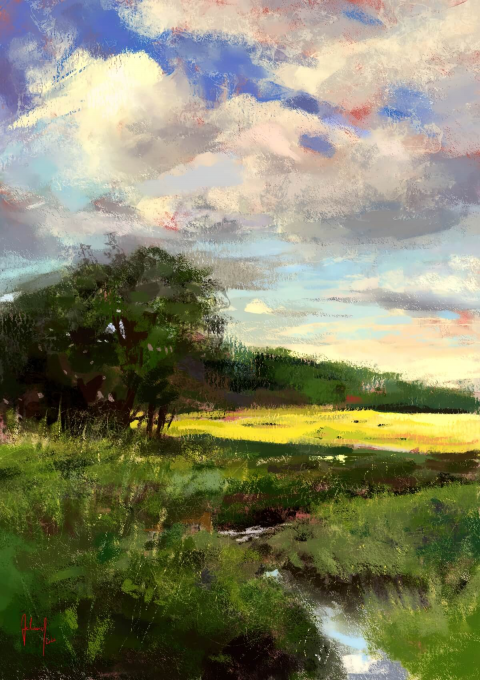 "The new pigment technology in Rebelle 5 is so exciting. The colors and the color mixing are pure joy, they are so realistic and vivid as I have not seen in digital painting before." ~ Georg Ireland, digital painter
Compare Rebelle 5 and Rebelle 5 Pro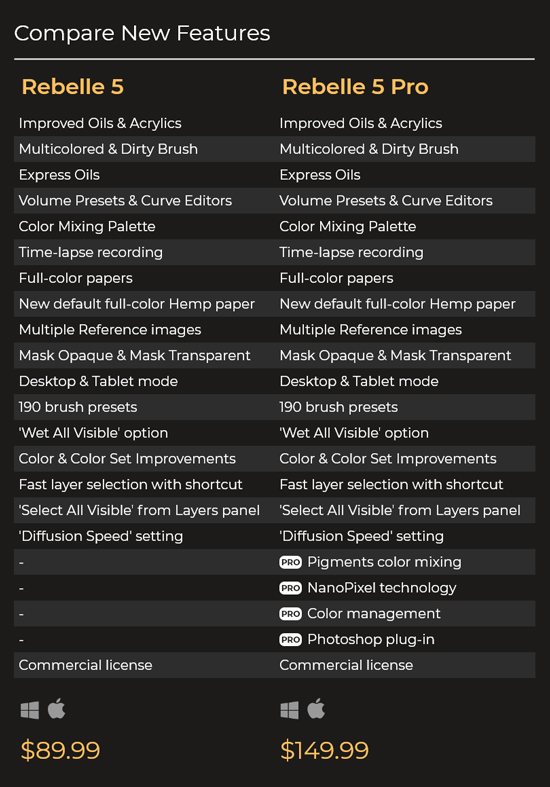
How to Upgrade
The full price of Rebelle 5 is $89.99 and Rebelle 5 Pro is $149.99.
All existing owners of Rebelle 4 are eligible for a 50% upgrade discount - the regular upgrade price is $44.99 for the standard and $74.99 for the Pro edition. To upgrade, log in to your Community account and add Rebelle 5 or Rebelle 5 Pro upgrade to the cart. You can also go through the direct link in the newsletter we sent or via Rebelle 4 menu: Help > Upgrade to Rebelle 5.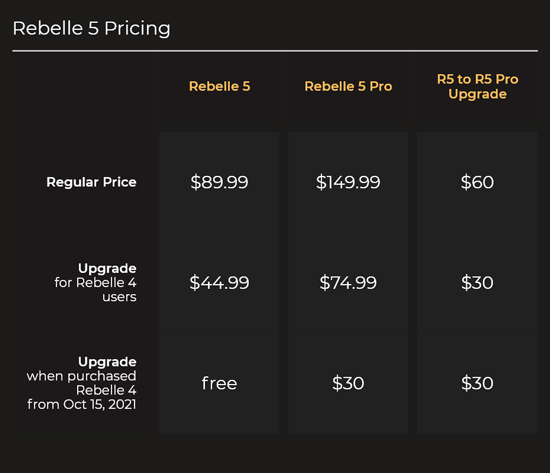
Users who purchased Rebelle 4 from October 15th, 2021 until today's release are eligible for a free upgrade to the standard Rebelle 5 edition. If you purchased within this time range, log in to your Community account and go to the Purchases tab - Rebelle 5 is impatiently waiting for you. :)
Moreover, all existing owners of Rebelle 5 can upgrade to the Pro edition at any time for the price difference.
Upgrading is optional, and the upgrade discount will be available until the next major release. You can continue using your actual version for as long as you like.
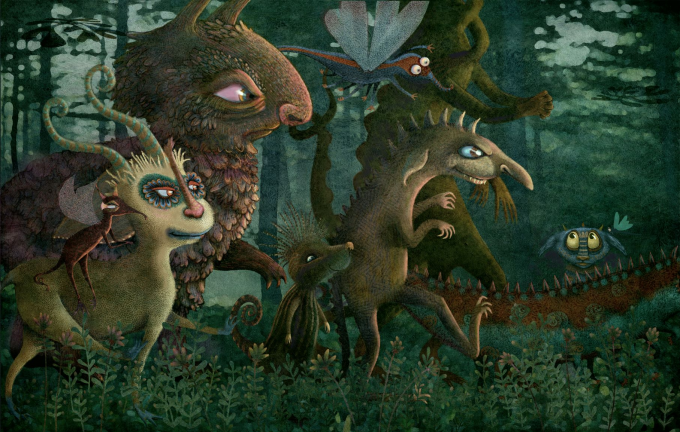 "I marvel each and every time I work in this outstanding program. It inspires me to dream big and offers me the ability to create artwork that simply cannot be done with traditional media. The expeller pressed oils are wonderful. I sing the praises of this phenomenal program to all of my artist friends." ~ Gretchen K. Deahl, Illustrator
System Requirements
Minimum: Intel i5 or equivalent AMD processor, 4 GB RAM, 200 MB hard disk space, a graphics card with 1 GB RAM, Windows 10 (64-bit or 32-bit) or Mac OS X 10.14
Recommended: Intel i7 (6th gen or newer), equivalent AMD processor, or Apple M1 chip with Rosetta 2 16 GB RAM 1 GB harddisk space a graphics card with 2 GB RAM, Nvidia gtx760 for FullHD, gtx1060 for 4K screen, or equivalent graphics card Windows 10 (64-bit) or Mac OS X 10.15 and newer, including macOS Monterey, Wacom or Windows Ink compatible tablet.
If you aren't sure your system meets Rebelle 5 requirements, you can try the Demo first. Internet connection is required for activation.

Rebelle Papers
The new three full-color paper sets have been released today as well! Enjoy Canvases, Exotic Rough, and Exotic Smooth papers for an introductory price of $11.99. The full-color papers are compatible with Rebelle 5.
The papers, canvases, and lithography stones you purchased in the past are fully compatible with Rebelle 5. They will be installed automatically to Rebelle 5 at the first start if Rebelle 4 (or Rebelle 3) has been installed on the same computer.
What's more, on the occasion of the Rebelle 5 release, enjoy 20% OFF on other software and add-ons, including Rebelle papers, canvases, and lithography stones:
Localization
We are currently working on the localization of Rebelle's user interface with our fantastic translators. Please allow a couple of days for the translations to be finished. If you are interested in translating the UI to your local language, don't hesitate to get in touch! Write to [email protected], and we'll get back to you.
Become Our Affiliate
Today, we're also introducing the possibility to join the Escape Motions affiliate program as our partner. Find out more information on our website: escapemotions.com/affiliate
Your Feedback Is Important
We are so excited about the Rebelle 5 release! The development process is not over - we are still working to make this version as smooth and bug-free as possible. We would appreciate it if you share your thoughts on the new version - contact us via the Help > Send Feedback option available from within Rebelle 5 or drop us an email at [email protected].
We would love to see what you can create with Rebelle 5, do not keep it for yourself! :) Upload to the online Gallery, or use #rebelle5 in your posts on social media. We can't wait!
Keep it creative with Rebelle 5!
Your Escape Motions Team
----
More information about Mixbox pigment color mixing at Secret Weapons website: https://scrtwpns.com/mixbox
Image Credits:
Rebelle Featured Artist Georg Ireland | @georg.ireland
Rebelle Featured Artist Wesley Gardner | @artofwesgardner
Rebelle Featured Artist Gretchen K Deahl | www.gretchenkdeahl.com
Kamila Stankiewicz | @st.kamila

What do you think?
0 Responses
0
Upvote
0
Funny
0
Love
0
Surprised
0
Angry
0
Sad
Sign in to comment!
Will Rebelle 5 Pro work reasonably well on Microsoft Surface Pro 7 (Intel i5, 8gb RAM, Windows 10)? I work a lot with large canvases (e.g. 7000px, 600dpi). Thank you in advance for the answer.
Can you elaborate on the changes in licensing? Install asks me to choose between standard and floating license. What is the difference?
Float licence is for studio environment deployment. It means you can install the software on as many PCs you want, but only a set number of licences you have allow to run at once.
For example, you have 10 licence, and you can install your software on all 50 PCs, but only 10 of them are allow to run at a time.
I must admit I couldn't abstain and went for the pro version. I do not regret it, it looks great. There are technical optimization needed. It is framing when using big brush size (maximum default size, without increasing it in settings, on a 200-300 dpi paper), but once that is fixed it will be great. It already looks amazing.
Thanks to the immense work of the escape motion team We have today a fantastic real media painting simulator. I’m a professional painter working mostly with watercolor, gouache and acrylic. It’s clear that everything in Rebelle 5 pro was designed by professional artists who have real experience with traditional painting media. I use Rebelle mostly for studies before I start to work on canvas or watercolor paper having the vast possibility of experimenting with watercolors and acrylic without using a grain of expensive pigments or handmade paper. I’ve been always using Sketchbook Pro and Procreate on my ipad but there is no comparison with Rebelle, the meticulously designed strokes of different brushes with the incomparable real time feedback of watercolor are just outstanding.
I’m using the Rebelle pro on my macbook pro 2021 M1, 8 core with 16G ram. I know that it is not yet optimized for silicon chips but it runs smoothly. If you have problems with lagging with larger brushes, try to use brush customization and change the spacing property to a bit higher value, it helps with every brush.
Guys thanks again for bringing us this fantastic tool of art, I highly recommend Rebelle to every artist, go for the pro with real pigments experience, you will not be disappointed.
Auggghh! I was going to hold off until the Christmas credit card bills were more of a distant memory but after trying the demo, and, and hearing all the great feedback from everyone here I just had to.... jump into the pro pool!
Thanks EM for all the 'envelope pushing' you've done and continue to do over the years. You make digital fun and fabulous. Now I'm off to my... 'Great Escape'!
(Motions, that is.)
Outta my way, folks. I've got to find me some nano-pixels and some sweet, sweet pigment gooshing.
Mmmm....
I decided to upgrade to v.5 pro just for the heck and I like it so far. The switching between Rebelle and PS is quick and reliable on my windows system but with one little problem; how do I get rid of the white background border? I know it has to do with layer transparency in PS but it does not go away when I click the 'lock transparent pixels' button (in PS) for each layer.
Made the happy jump from Rebelle 5 to 5 pro for Pigments and Nano Pixels. Keep up the good works.
I got the pro version, it is a life changer. Thank you so much!
With pigments, it's amazing when you have a color, you add white to it, and it becomes lighter and more vibrant, not pale like before. It's also amazing how it creates secondary hues.
Layer picking with ctrl+shift+click it what finally allows me to use Rebelle for production: I need hundreds of layers, one for each object, because I need to tweak the brightness of each object separately.
It's also great that I can now mix and blend colors regardless of pressure, by tweaking curves.
Express oils are much better than oils, because they are more controllable and allow me to use the paper's texture by pressing lightly.
X+click unfortunately does not mix colors with the new pigments logic, but I can use the mixing palette.
Watercolor with rewet to 10 and absorbency to 0 is still buggy: it creates white outlines around the wet zones after a while.
Thanks again for this great piece of software!
When I go the community account and purchases and click on upgrade to rebelle 5 [PRO] and add to cart it adds the full price to the cart, not the upgrade price, like it's not recognizing that i own 4 or something. And I've got rebelle 4.1.2
I'm really looking forward to getting pro.
Yeah there is a bug that add both the upgrade Std + the upgrade pro in the basket.
But you can just remove the one you don't want and that's it.
On my end however the payment is not processing :(
That's not what it's doing to me. When I click on the upgrade link in Purchases, it shows the rebelle 5 Pro at the full ($149) price not the upgrade price, and if I click on the pro, it adds the one item to my cart at the $149. Maybe someone from Escape Motions will see this. I really want the program but I'm not going to pay the full price for the pro since I'm supposed to get it at an upgrade price. Maybe the bugs will be worked out of their purchashing system ssoon.
Hi Paul, please drop us an email at [email protected] and we will look into this issue!
Success! Got it downloaded, installed, up and running. i'm impressed, but I knew I would be. Really an A+ job fellows! Thanks for this gret app!
Love it! Just bought the pro upgrade for my m1 Pro 16 in Macbook Pro and M1 Mac Mini.