


We are thrilled to announce that a new version of Rebelle is in the making! This version will again come closer to blur the line between traditional and digital painting as it will give the artists an infinite range of expression possibilities packed in a simple interface. Rebelle 3 has made big strides in improving the realism of its world-class watercolor brushes, which can now more accurately mimic all sorts of behavior on different paper surfaces.
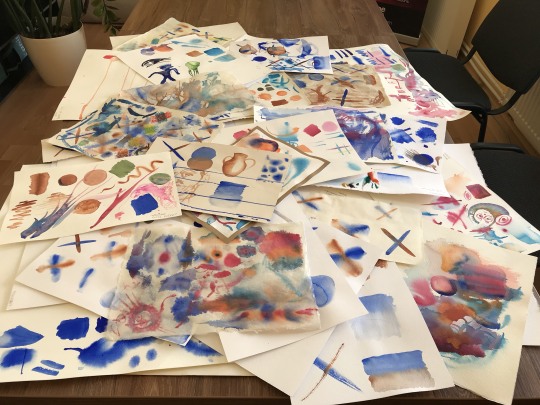
Based on the months of studying the watercolors, testing hundreds of various papers, techniques and brushes we are assured that the possibility of uniting the tradition and technology is absolutely amazing. The development team has packed a wide range of features and innovations into Rebelle 3 such as ultra-realistic papers, new visual settings of watercolor behavior, amazingly realistic drips, ability to control them as well as many other new additions which we are going to present step by step in the upcoming blog posts. Here are the first unveiled features of the anticipated Rebelle 3:
Ultra-realistic papers
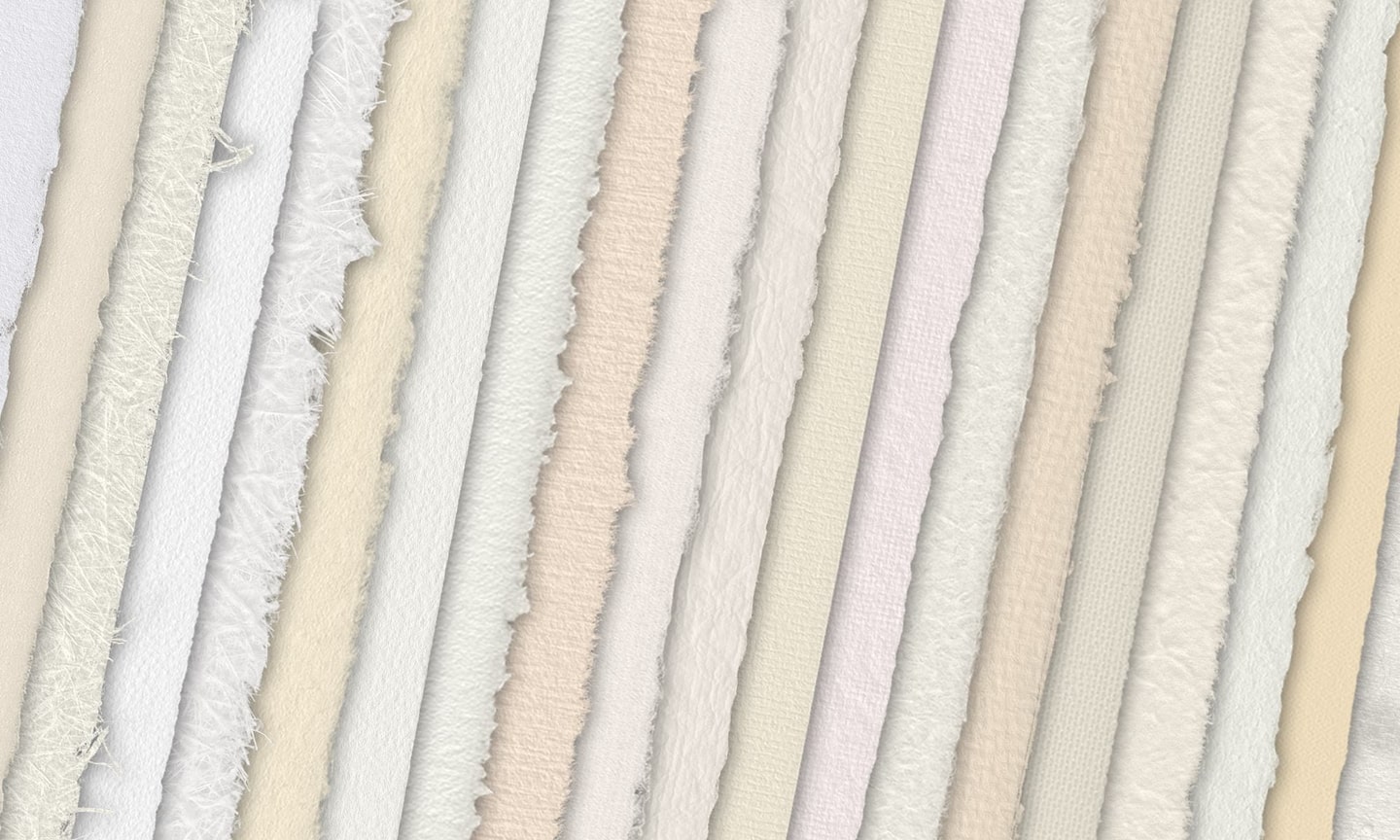
Watercolour is quite an ‘alive’ medium. It can behave in many different ways according to how it is used. One of the biggest alternations in the behavior of watercolor is due to the surface on which it is applied - the watercolor paper. We tested various real-life papers in order to embrace their common characteristics and differences and figured out how to include such support for various behavior. In the new version, you can use not only textured paper backgrounds, but also an imitation of professional watercolor papers, some of them with deckled - rough and irregular edges, including Hot pressed, Cold pressed, Rough, Japan, Canvases and others.
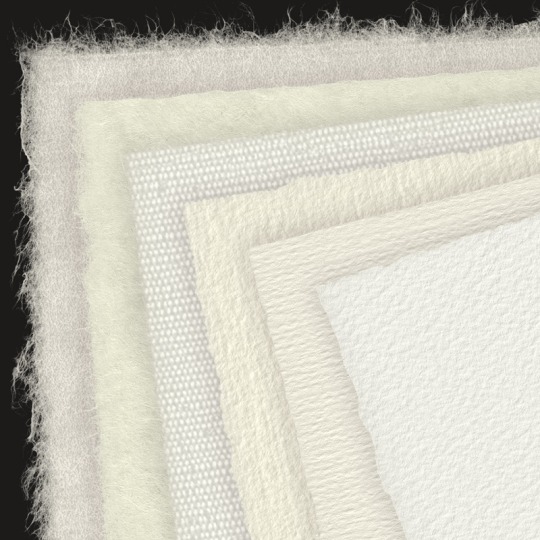
The hot-pressed paper has a smooth, hard surface and an even texture. It offers a sleek finish and it’s great for mixed media work. One step up is cold-pressed paper - is the most versatile and popular texture, it’s semi-rough surface is suitable for both detailed work and smooth washes. When you glide your brush over it, some of the paint settles on it while skipping the indentations of the grainy texture, leaving them blank. This creates beautifully textured brush strokes. Rough paper has a pronounced texture that’s good for washes and creates expressive brushstrokes that can provide a lot of character and emotion to a painting. You can use traditional Washi - japan paper, canvases and other materials too. No type of paper is inherently better than the other. It all depends on your needs, your preferred techniques and what look you are going for in your painting. You can get various professional papers on the Rebelle website soon.
Because Rebelle’s papers imitate these characteristics in a digital world, the new version will feature various presets for watercolor behavior based on the underlying paper, so the paper you choose can have a huge bearing on the quality of your work.
Amazing watercolors
To adapt to the new papers, we had to rewrite a watercolor simulation code to be even more realistic than before. In Rebelle 3 you will be able to change the watercolor behavior and other settings via the Visual Settings panel - a new panel with the following possibilities:
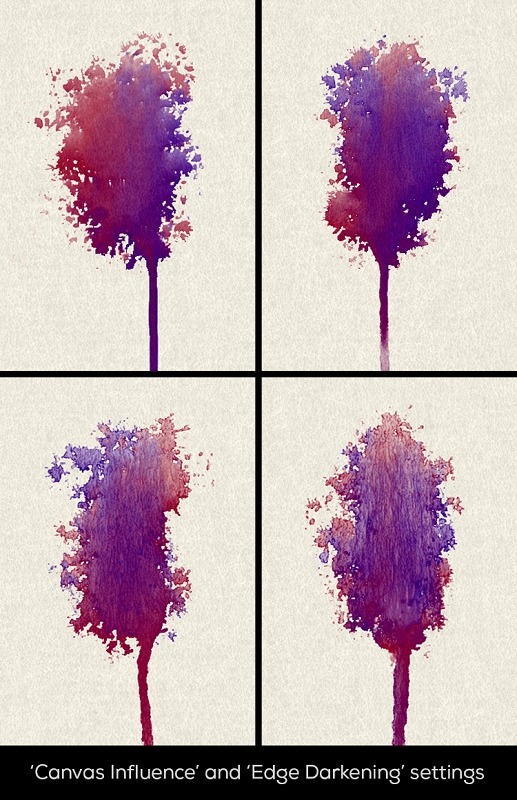
- Ability to customize the watercolor behavior - users will be able to manipulate the „Absorbency“ slider which basically represents how fast your watercolor washes dry out. Another setting is „Edge Darkening“ - users can influence how dark the edges of their washes will be. Also, there is a „Canvas Influence“ setting with which you’ll influence the watercolor diffusion.
- Ability to customize acrylics - The „Impasto Depth” available from Rebelle 2 will now be placed in this new Visual settings panel.
- Ability to customize canvas settings - The canvas „Texture Visibility“ setting and „Always show texture on paint“ switch will now be featured in this panel.
New “DropEngine”
Many users appealed to the need of better control over drips. You asked we listened - in Rebelle 3 we implemented a new “DropEngine” especially to simulate drips and connected it with our watercolor simulation. Drips behave more naturally now - their appearance is influenced by paper structure, water, stencils and selections. Their movement on paper can be adjusted via the Visual settings panel which will give you more control over the length and size of the drips.
What is more, the drips are now DPI-aware so Rebelle now creates the same size drips on canvas of 300 dpi like those of a canvas that is 72 dpi.
More realistic Blow tool
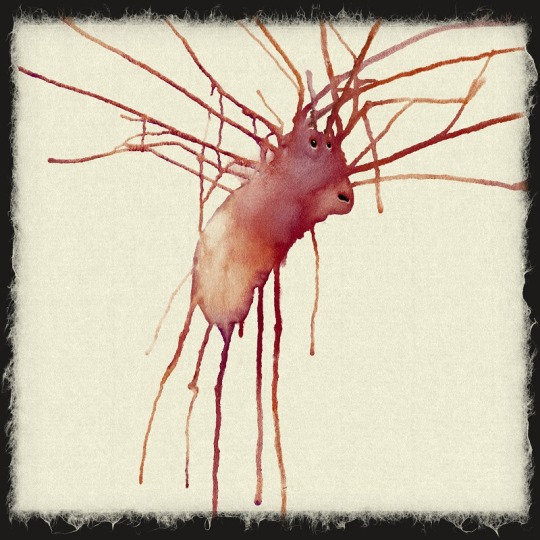
The blow tool in Rebelle 3 realistically blows drips from wet painting just like in real life by using a straw. Use this blowing technique to make interesting watercolor effects, an abstract background, explosions, trees, grass or flowers for your paintings. You can now hold the blow tool above the area you want to create drips from and control the directions it goes by blowing from different angles. The tool blows wet painting on wet areas, on dry areas it creates nice dripping effects. And if you put drops of different colors next to each other, you can make the colors mix together on the canvas making beautiful splatters. This is probably one of the most fun activities you can do. :)
Stay tuned for another feature announcement coming next Thursday! By the time let us know in the comments how excited you are to play with the new version, we’ll pick one lucky winner who’ll get a free copy of Rebelle 3!
Your Escape Motions Team

What do you think?
0 Responses
0
Upvote
0
Funny
0
Love
0
Surprised
0
Angry
0
Sad
Sign in to comment!
Is there a shortcut key to rename layers?
Hi Mary, you can rename a selected layer by double-clicking on it in the Layers list. Hope this helps!
Why can't Rebelle 3 save files in vector format?
Hello Amin, we could consider adding such possibility in the future, but because it is a bitmap painting program, it is a complex problem. Thanks!
I just installed the demo on my macbook and noticed two performance problems. Rotating the canvas from the macbook's touch pad and using the smudge tool was very slow and also lagged behind the input. Is it only the demo that is this slow or would that be a general problem?
Hello Roelf,
thank you for reporting this. There should be no different between Demo and the full version in terms of touch functionality. Could you please send us a video to [email protected] where we could see how you rotate on the touchpad and how Rebelle demo is reacting? Also please show the lag of the smudge tool.
Plus let us know your system specifications, I just tested these features on our Mac with i5 and 8GB RAM and all is working pretty well.
Thanks in advance!
for ipad pro please!
I also am grateful to Veronika for helping with some snafus. I'm new to the program and I just can't say enough about how thrilled I am!! I literally can not believe how real it feels to paint with Rebelle. I'm showing it to everyone who comes over, I just love it and want to say thank you so much!
Thank you Jeree!
Veronika said they were having Server issues and the final authorization for the program did not work. Mine finally did, using the same method as before, so the Server issue must have been resolved. Veronika has always been a great help with problems I cannot fix myself. She also must be very tired, because the last Rebelle issue was fixed in the middle of the night in Slovakia.
I am having fun with the 3.0 and was on board with Rebelle from an early date and am happy I was. Thanks everybody, for the support and a great program.
You are right Thomas, Veronika is the best support at least on this planet. In a release day (night) she was here in the company till 4 am after midnight just to help you guys.
You are fortunate to have person like Veronika, professional. dedicated and cordial. That is difficult to find, and, as I mentioned about Rebelle, I am having a great time exploring the new features. Thank your team for a great job!!!
Actually not only Veronika, but also Andrea was here till 4am, I have to say that whole team is professional and dedicated. We enjoy what we do, even sometimes it's not easy of course and we fight monsters coming to our path.
I require assistance 'upgrading' to Rebelle 3. Trying to do so from the program (under Help), takes me to the online shop where I am asked to purchase it again.
Please send an email to [email protected]
You know, I think simply stating that Upgrade from under the Help menu item is broken would suffice. I presume, this defect resulted from your recent distributition association with Smith Micro.
I've already been in touch with Veronika regarding this issue.
Thanks Veronika, you're the best!
Ok I've purchased Rebelle 3 yay :D I've tried to set up my Community Access and have requested a verification email but none have arrived, it's been over 2 hours. I did receive the purchase confirmation slips at the same email. Any advice? :D
Please send email to [email protected]
I'm a new customer who has been playing with and loving!! the trial version. I'm checking every hour for the new release to become a paying customer and extremely excited. <3 <3
If you are not going to meet your release date, an update would be helpful!
Thomas, it's still today here :)
Thanks, I am quite looking forward to it!!!
When, today, will Rebelle 3.0 be posted for download?
Soon... very soon...
I have a question regarding the purchase, i'd like to purchase Rebelle 3
but i need to purchase it before the 30th of april (due to tax
reports), is it possible to purchase it now and still be elegible for
the rebelle 3 after release updates or how does it work? Im an
independent animator and would love to include it on my pipeline, you
can check my work at www.cocoalopez.com
If you buy Rebelle 2 now, you have a free upgrade to v.3, so you have not to wait until April 30th :)
Hi guys, thanks for all the love! We've chosen Shannon Watson to win Rebelle 3. We're working hard on bringing you Rebelle 3 on Monday April 30th. Hope you'll like the new version as much as we do :)
I'd like to optionally be able to see the effect of the paper in the paint behavior, but NOT see the paper texture in the blank areas, so that if I giclee print the image onto matching real paper and a matching paper texture scale I won't print the image of textured blank canvas onto actual blank canvas. The real paper is already texture enough in those regions.
You can tick "Always show texture on paint" and hide the Canvas in Layers panel to get that effect. Currently this setting is in "Select Canvas window" (available when you click on the Canvas thumbnail). We will be moving it to Visual Settings panel for Rebelle 3.
Unfortunately, I'm the worst "painter" you've ever seen... I love Rebelle, but so far I've only played around with it because I'm not even a dilettante. Have you ever considered developing something like "Art Academy" for Rebelle?
https://www.youtube.com/wat...
Do it, put a big fat price tag on it, and I'll buy it in an instant!
Sounds fun! We'll think about it :)
Great! I'm currently working on a little "indie" game, strictly as a hobby, and so far I was unable to create acceptable assets for it. I believe that, if such a Rebelle application focuses more on the craft than the art, you could sell gazillions of copies to would-be-artists like me :)
This is "THE" most realistic looking digital watercolor painting app I have ever seen!
Thanks Elaina!
Rebelle is fantastic! I've been looking for something like this for years. I'm also stoked to find out that V3 is about to come out, so lucky! keep up the great work ????
I'm especially excited about the human touch in the strokes, I think artificial look is the weakest part in all others digital painting softwares!
Thanks so much!
Really looking forward to the new version. What's the release date and upgrade path?
April 30th, you will be able to upgrade to Rebelle 3 via our Upgrade page or directly from within current Rebelle - we will release more info soon. Thanks!
Does this mean, if we already have Rebelle, it will be a "non-fee" upgrade?
I should have read further. I found the answer. $39.95
Amazing news. Keep up the good work !
Thanks!
I'm so excited to try this! I would be honored to start using Rebelle as I always enjoyed watercolors traditionally but found the method somewhat complicated. I also wanted my work to be consistent. Going back and forth between traditional and digital can be tough, If you use Copic markers and microns and then go to Clip Studio Paint, then no one will notice. But if you do watercolor IRL then go back to digital, it can be pretty glaring. I understand how much work puts into a software like this. Just emulating two different types of brush pens in my paint software was a nightmare, so I can only imagine how hard coding would be!
I think it's honorable the work you guys put to make realism in digital art possible and I hope that there are more people like you to make people's dreams come true and merge the two mediums. I would love to have a free copy, but I wouldn't mind paying for it to help the people I love! Despite my budget.
You guys should also have discounts. I'd love a Black Friday, or Christmas discount.
Have a great day!
Thanks so much for your kind words!